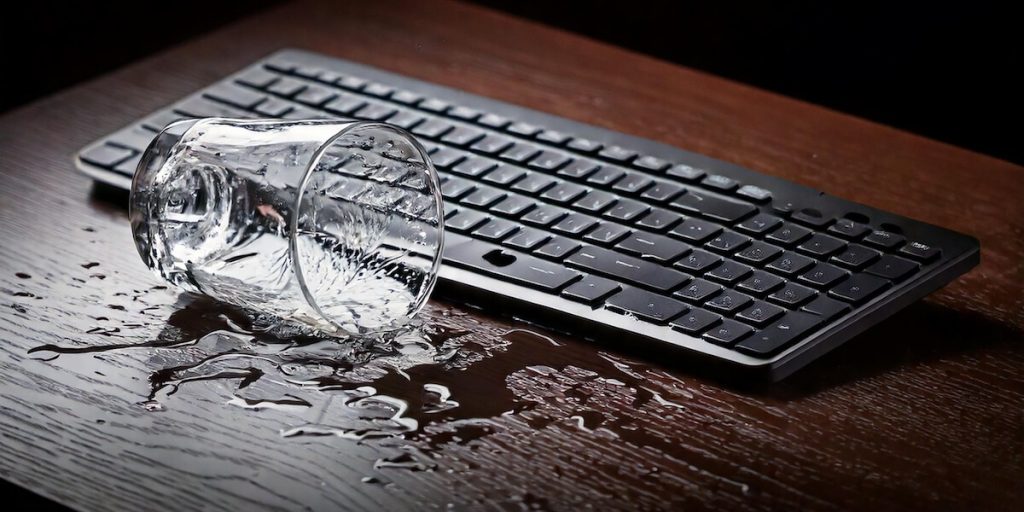
It happens to the best of us. One moment you’re enjoying your morning coffee, the next you’re watching in horror as liquid cascades toward your precious mechanical keyboard. Don’t panic – with quick action and the right approach, there’s a good chance your keyboard can survive this ordeal.
In this comprehensive guide, we’ll walk you through exactly what to do when disaster strikes, from the crucial first seconds to long-term recovery strategies. Whether you’re dealing with water, coffee, or something sticky, we’ve got you covered.
The Critical First Minute
When liquid meets keyboard, every second counts. Your immediate actions can mean the difference between a simple cleanup and a fried circuit board. Here’s exactly what you need to do:
First and most importantly: Don’t press any keys. It might be tempting to test if everything still works, but pressing keys can force liquid deeper into the switches and circuitry. Keep your hands off the keyboard completely.
Next, unplug your keyboard immediately. If it’s wireless, remove the batteries. The real danger to electronics isn’t just the liquid – it’s the short circuits that can happen when liquid bridges electrical connections. Cutting power immediately is crucial for survival.
Finally, flip the keyboard upside down at an angle. Let gravity work in your favor by allowing the liquid to drain out naturally. Avoid the urge to shake the keyboard or tilt it back and forth – this can spread the liquid to unaffected areas.
Your Recovery Strategy
Now that you’ve handled the immediate emergency, it’s time to start the recovery process. The approach you’ll take depends on what type of liquid was spilled, but the general principles remain the same.
Water Spills
Pure water spills are your best-case scenario. While water can certainly damage your keyboard, it’s less likely to leave residue that can cause problems later. Here’s your plan:
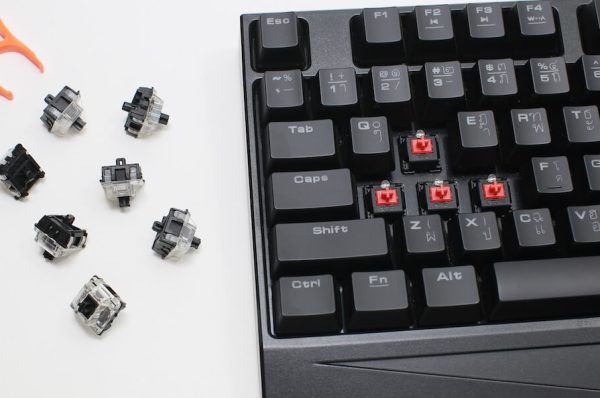
- Remove all keycaps carefully using a keycap puller if you have one
- Pat dry any visible moisture with a lint-free cloth
- Use compressed air if available, but be gentle to avoid forcing water deeper
- Place in a warm (not hot) area with good airflow
Coffee or Tea
Coffee and tea present additional challenges due to their additives. If you’ve spilled these beverages, you’ll need to be more thorough:
- Follow the water spill steps first
- Clean affected areas with isopropyl alcohol (90%+ recommended)
- Pay special attention to switches that feel sticky
- Expect a longer drying time due to the additional cleaning needed
Sugary Drinks
These are your worst-case scenario, but even they aren’t necessarily fatal to your keyboard:
- Start with the standard water spill procedure
- Use isopropyl alcohol liberally but carefully
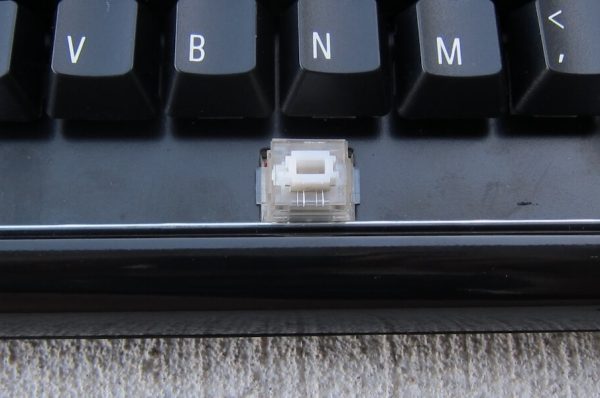
- Consider opening affected switches for cleaning
- Be prepared for multiple cleaning sessions
The Drying Process
Here’s where patience becomes crucial. Proper drying is perhaps the most important part of keyboard recovery, yet it’s where many people make mistakes. The right approach:
Let your keyboard dry for at least 48 hours. Yes, two full days. In humid environments, you might need even longer. Place it in a warm room with good air circulation, and if possible, use silica gel packets around it to absorb moisture.
What you absolutely should not do:
- Use a hair dryer (the heat can damage components)
- Put it in rice (it can leave debris)
- Place it in direct sunlight
- Try to speed up the process with an oven or microwave
Testing and Long-Term Recovery
After your keyboard has thoroughly dried (again, minimum 48 hours), it’s time to test. But don’t just plug it in and start typing. Here’s the careful approach:
- First, do a visual inspection: Look for any remaining residue or signs of corrosion Check that all switches move freely Verify no liquid remains trapped under keycaps
- When you’re ready to test: Plug in the keyboard briefly Test each key individually Listen for any unusual sounds Watch for inconsistent behavior
Prevention: Your Emergency Spill Kit
The best way to handle a keyboard spill is to be prepared before it happens. Consider putting together a simple spill kit containing:
- Isopropyl alcohol (90%+ concentration)
- Microfiber cloths
- Cotton swabs
- A keycap puller
- Compressed air
- Silica gel packets
Typically, these are items that you’ll have laying around in your household, so just make yourself aware of where they are located for any emergency spills.
When to Seek Professional Help
Sometimes, despite your best efforts, professional help might be needed. Consider this route if:
- Liquid reached the PCB (circuit board)
- Multiple switches aren’t working
- You see visible corrosion
- The keyboard is particularly valuable or vintage
The Reality of Recovery
While keyboard spills are always scary, there’s hope for recovery, especially with quick action. Based on community reports and experience:
Water spills tend to have the highest success rate when addressed immediately. Coffee and tea spills can often be recovered from, though they require more thorough cleaning. Sugary drinks are the most challenging, but even these have successful recovery stories in our community.
The key factors in all successful recoveries? Quick action, proper procedure, and patience during the drying process. Many keyboards that seemed dead have come back to life after following the right recovery steps.
Remember, mechanical keyboards are surprisingly resilient. With the right approach and a bit of patience, there’s a good chance your keyboard will survive to type another day. Just keep drinks a little further away next time.